
Online Safety
Online Safety
Children use the internet every day for learning, creativity and communication. Keeping them safe online is a shared responsibility between school and home. If you’d like advice or support, please speak to any member of staff – we’re here to help.
Need support now?
School office: 0151 477 8340 · Email: robypark@knowsley.gov.uk
Monthly Online Safety Newsletters
- Sept 2026
- June 2026
- May 2026
- Apr 2026
- Mar 2026
- Feb 2026
- Jan 2026
- Dec 2025
- Nov 2025
- Oct 2025
- Sept 2025
- July 2025
- June 2025
- May 2025
- April 2025
- March 2025
- February 2025
- January 2025
- December 2024
- November 2024
- October 2024
- September 2024
- July 2024
- June 2024
- May 2024
- April 2024
- March 2024
- February 2024
- January 2024
- December 2023
- November 2023
- October 2023
- September 2023
- July 2023
Online Safety Guidance
The internet is part of everyday life for children – supporting their learning, creativity and friendships. Working together, school and home can help children use it safely and responsibly.
If you’d like advice, please speak to any member of staff. We’re here to help.
Click here for Parental Controls Booklet.
Quick tips for home
- Use parental controls on home broadband, devices, apps and games.
- Set age‑appropriate privacy settings and review friend/follower lists together.
- Agree family rules for time online, in‑app purchases and sharing photos/videos.
- Talk regularly about what they’re doing online and what to do if something worries them.
- Know how to report and block on the apps your child uses.
- Match apps/games to age ratings and your child’s maturity.
Concerned about something online right now?
If a child is at immediate risk, call 999. For non‑emergencies, contact school for support or report directly to the platform/app.
Helpful links
- Thinkuknow (CEOP): Online safety advice and reporting concerns – https://www.thinkuknow.co.uk
- UK Safer Internet Centre: Guides and advice for families – https://saferinternet.org.uk
- Internet Matters: Step‑by‑step parental control guides – https://www.internetmatters.org
- NSPCC – Online Safety: Tips, explainers and help – https://www.nspcc.org.uk/keeping-children-safe/online-safety
- Report to CEOP (police): If you’re worried about online sexual abuse or the way someone is communicating with a child – https://www.ceop.police.uk/safety-centre
- ChildLine: Call 0800 1111 https://www.childline.org.uk/
- Samaritans: Call 116 123 https://www.samaritans.org/
- Bullying UK: Call 0808 800 2222 https://www.bullying.co.uk/
Parent/Carer information sessions 2025-26
Available on a termly basis – these sessions will be repeated termly to provide multiple opportunities for parents to attend but parents only need to attend one as content will be fairly similar.
Sessions will be 30 minutes followed by 15 min Q&A if required. These sessions are designed to support parents/carers in protecting their children and to help them understand the risks associated with using technology. The session will cover:
- Current trends – what children are doing online, what apps/ games are popular amongst children.
- Understanding the Risks – a look at the risks associated with using technology, in particular when using social media, online gaming & live streaming.
- What can you do – some suggestions for how you can support your child with their online lives and what parental controls are available to help you.
- Further Support – signposting to services that are available to help you if you need it.
Information for booking on to sessions as well as recorded sessions will be circulated to parents and carers via Arbor.
Parental Online Safety Guides
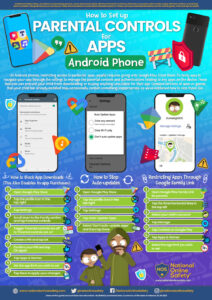
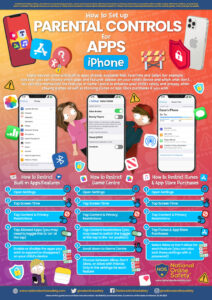
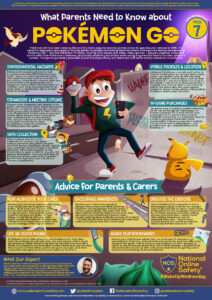
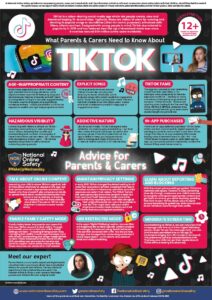
For Parental Guides, courses and free resources, head to National Online Safety
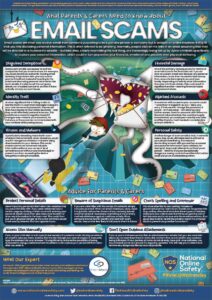
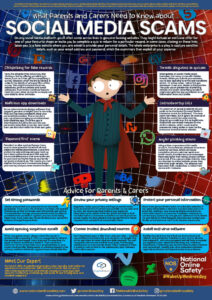
Parent Information
Parent’s Guide to Tech:
From laptops to mobile phones to smart TVs, this link will give you lots of guidance and help in choosing what to purchase and what you need to be aware of:
Fortnite:
Fortnite continues to remain ever popular with nearly 250 million players! Fortnite is rated PEGI 12 for frequent mild violence which means it is not suitable for persons under 12 years of age. The following links will provide you with further information about this game:
- https://www.saferinternet.org.uk/blog/parents-guide-fortnite-battle-royale
- https://parentzone.org.uk/article/fortnite-everything-you-need-know-about-online-game
YouTube:
Does your child use YouTube? Here are some hints and tips on how to keep them safe whilst using it:
- https://parentzone.org.uk/article/youtube-kids-everything-you-need-know
- https://parentinfo.org/article/youtube-what-parents-need-to-know
- https://www.saferinternet.org.uk/blog/parent%E2%80%99s-guide-youtube-restricted-mode
- https://www.internetmatters.org/hub/guidance/youtube-tips-and-tricks-to-keep-your-children-entertained-and-safe/
Online Safety Videos
Click here to find online safety videos on:
- Setting up Parental Controls on an iOS device with Family Sharing
- Setting up Parental Controls on your child’s iOS device (when you don’t have an iOS device)
- Setting up Snapchat Family Centre
- Setting up Snapchat Privacy settings (on your child’s account)
- Roblox
- Nintendo Switch Parental Controls App
- YouTube Kids App
Social Media
You can find some practical guidance for parents and carers whose children are using social media by clicking here.
Facebook is the most popular Social Networking site on the internet. It was launched in 2004 and has an estimated 1.94 billion users. You can find more information about how to protect yourself online, how to report issues and how to deactivate your account here.
Instagram is a photograph and video sharing application and is particularly popular with children and teenagers. For further guidance of how you can stay safe when using Instagram, how to report any issues or how to deactivate your account click here.
Tik Tok allows users to create, share and discover new videos. It allows users to create short videos of themselves dancing, performing or lip-syncing to music and to share them online via their app. As with other social media sites users can set their profiles to private or public.
Snapchat is a messenger app that allows you to send photos, videos, text and drawings. The unique feature of Snapchat is that the message only stays on the recipient’s phone for a matter of seconds.
Whatsapp is a free messenger app that enables users to send messages, images, video and audio using the internet and is popular amongst children. Further information on how to restrict access to whatsapp can be found here.
Where to Report?
Report Harmful Content: Reporting centre designed to assist everyone in reporting harmful content online.
Internet Watch Foundation: You can report sexual images of under 18s online directly to the Internet Watch Foundation.
CEOP: If you are worried about online sexual abuse or the way someone has been communicating online.
KS1 top tips for staying safe online:

KS2 top tips for staying safe online:
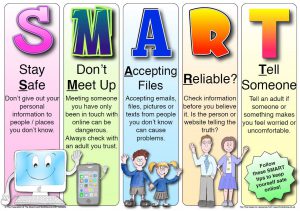
A few ways that you could protect your child are:
Parental controls – parental controls allows you to limit the websites that your child can access when they are on the internet. This will stop them from accessing any inappropriate websites
Keep the computer where you can see it – By doing this you will be able to see what they are looking at and know if click on anything inappropriate or try to talk to someone they don’t know.
Pop-up Blocker – Pop-up blocker is an application installed for browsers to stop pop-ups from appearing while you are searching the internet. This is good as some pop-ups can lead to websites you don’t want your children visiting.
The staff understand the risks involved for young people on the internet, be it Social Networking, Smartphones or Video Chat sites. The internet is an ever changing and evolving environment and we (parents, carers, teachers and support staff) must understand this and be able to give the children the best advice on how to use it safely, and where to go if they feel vulnerable or victimised. The CEOP button can be found on many websites and will direct you to their page where you will be able to find help.
For more information please click CEOP:

Below are some links to websites with more information:
Think U Know – Information for 5 – 16 years olds as well as parents, carers and teachers.
Child Net – Getting to grips with digital issues
CBBC Stay Safe – Has videos about different things involving staying safe on the internet.
Relevant Policies:
Below are leaflets with guidance and support for parents on relevant digital issues:
- Top Tips for Managing Screen Time
- Top Internet Manners
- Together We Can Stop Cyberbullying
- Social Media Top Tips
- Set Up Safe Checklist
- Screen Time Guide
- Online Safety Tips for Parents of 6-10 Year Olds
- Online Safety Tips for Parents of 0-5 Year Olds
- Online Safety Guide Online Gaming Top Tips
- Live Streaming and Vlogging
- How to Report Suicidal Content
- How to Create a Great Environment for Kids to Talk
- Helping Keep Children Safe Online
- Grandparents Guide to Online Safety
- Cyberbullying Advice
- 11-13-Conversation-Starters
- 6-10-Conversation-Starters
- Online Safety Tips for Parents of 11-13 Year Olds
- How to Report Suicidal Content
If you have any concerns in regards to Online Safety please contact our Online Safety Officer – Mrs Lyon